

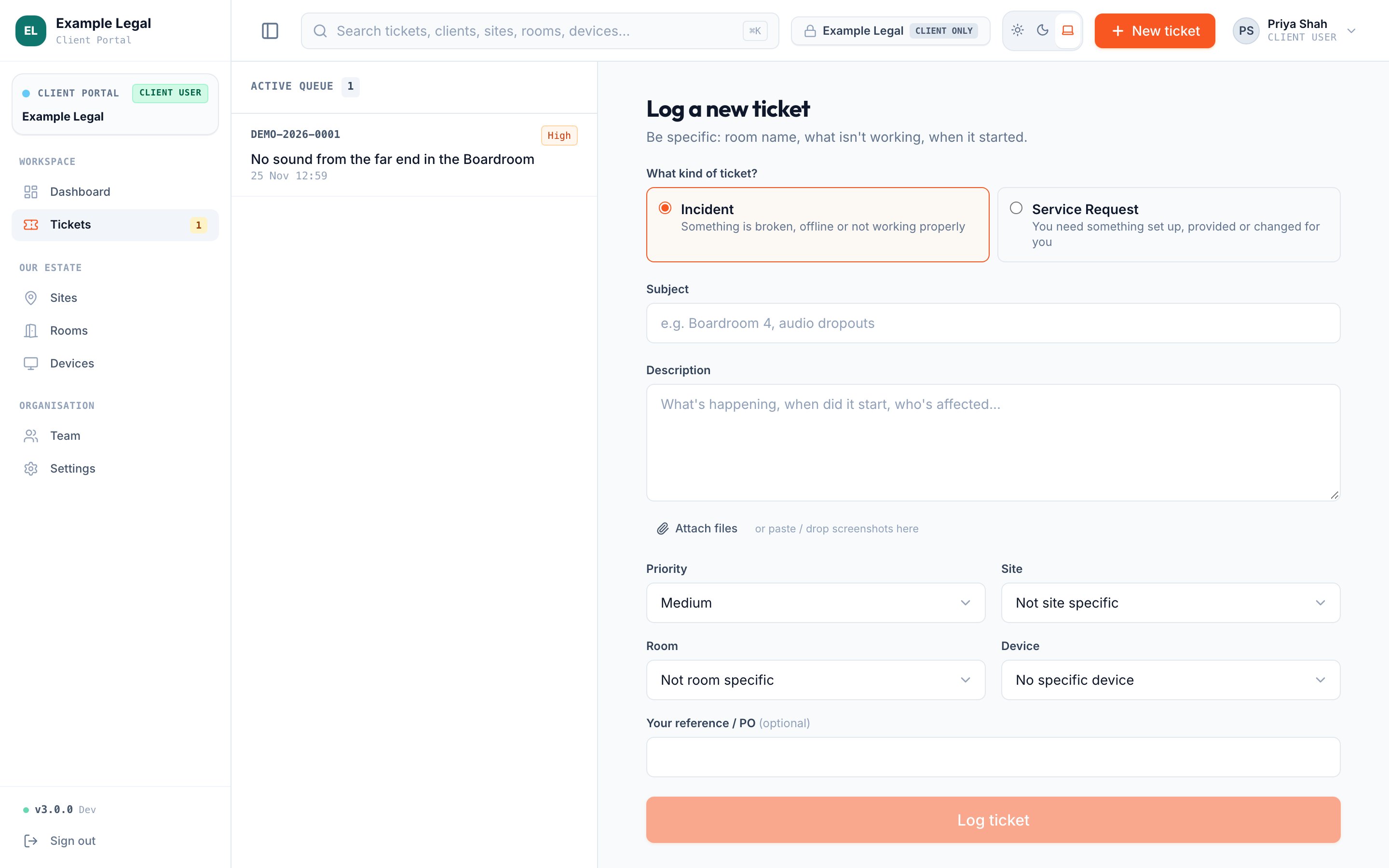
The form
Select Log ticket. The ticket gets its number straight away and opens in the queue. Tickets raised in the portal don’t send an acknowledgement email; only emailed tickets do.
Files can be up to 100 MB each, 10 at a time. Every file is checked for viruses before anyone can open it. See Attachments.
Priority and SLA targets
Each priority has a response target, and can have a resolution target, set by your organisation’s SLA policies. The standard policy every organisation starts with is:
Your organisation may have changed these, set business hours, or given particular clients or sites tighter targets. The ticket shows its own targets once it’s raised. See SLA targets.
Logging a ticket for a client
Support staff see extra fields, for logging a ticket that came in by phone or in person.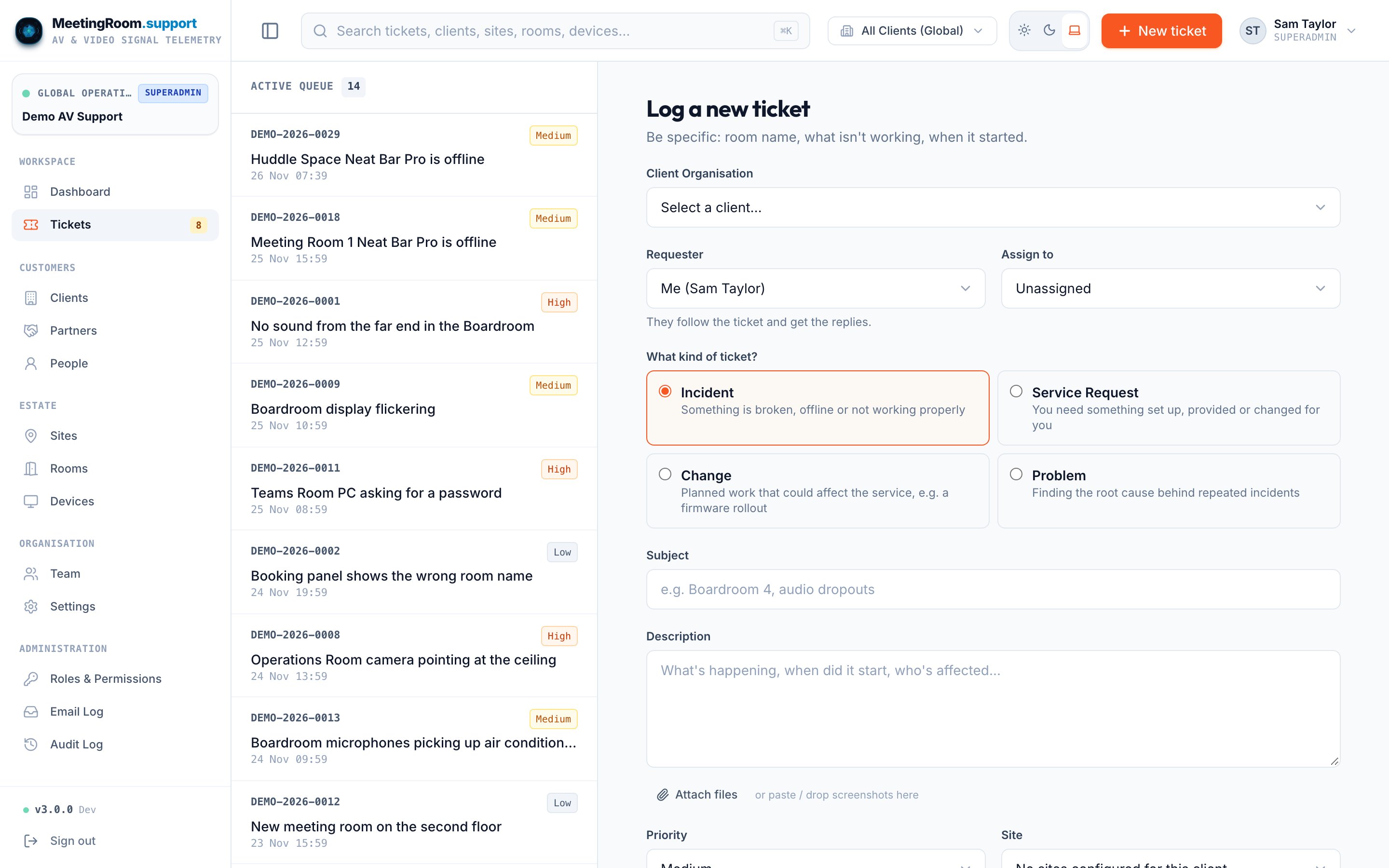
A room typed in by the support team is added to the client’s register, at the ticket’s site (or the client’s only site), so it can be picked next time. If the client already has a room of that name there, the ticket is linked to it instead.
The queue on the left of the form lists the active tickets, so you can check the fault hasn’t already been logged.